What should I expect at a Tesla delivery center, step by step?

Tesla's steps for a pickup at a Tesla location are short: follow the signs to the check-in area, then sign any available agreements, complete final payment and accept delivery in the Tesla app. Tesla's page does not list a walk-around, so decide beforehand when you will look at the car and ask the advisor to record anything you find before you accept it.
What this guide covers
This guide is for the United States and for pickups at a Tesla location. It uses what Tesla says on its Taking Delivery and Delivery Day pages and adds our own suggestions, which we mark. Tesla can change its process, and your appointment details in the Tesla app are the final word for your own delivery.
Before you go: the tasks that are not at the center
Most of the paperwork happens before the day. Tesla says that before your appointment you must submit your insurance details, final payment and necessary documents in the Tesla app. If you finance or lease with Tesla, you must e-sign the required agreements in the app before you take delivery. If you use your own bank, Tesla says most lenders require a Motor Vehicle Purchase Agreement, which you find in the app once the car is ready, and that delivery cannot take place until Tesla receives the funding in full.
If you have not done these yet, what happens next after you get your VIN walks through them, and insuring a Tesla before delivery covers the insurance step.
What to bring
Tesla’s Delivery Day page says the documents required at your appointment may include:
- final payment (requirements vary by location and purchase method, and credit cards are not accepted)
- your driver’s license (or licenses)
- your auto insurance
- trade-in ownership documents, if you are trading in
Not all of these apply to everyone. Check your own list in the Tesla app the day before.
At the delivery center: Tesla’s steps
For a pickup at a Tesla location, Tesla gives these steps, in this order:
- Upon arrival, follow the signs to the check-in area.
- Sign any available agreements, complete final payment and accept delivery of your vehicle in the Tesla app.
- Unlock and access your Tesla using the Tesla app.
- Explore the car’s features with the interactive videos.
Two things stand out. First, accepting delivery happens in the Tesla app, on your phone. Second, Tesla’s list has no inspection step. That is not a criticism, only something to plan for.
What to do before you accept delivery
This section is our suggestion, not Tesla’s. Accepting delivery in the app is the moment the car becomes yours on paper, so the time to look at it is before you tap.
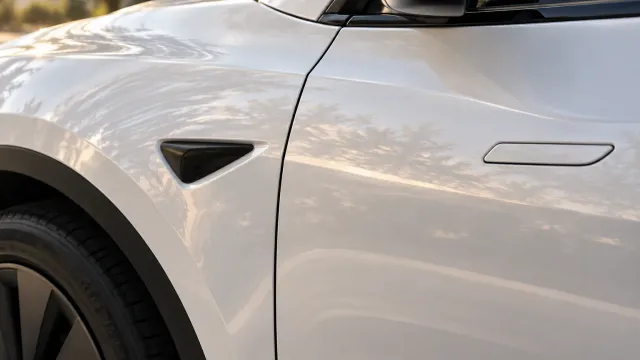
- Walk around the car in good light, and take photos of each side.
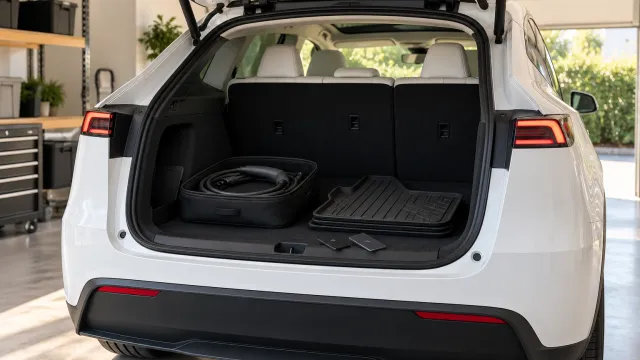
- Check the items you can see and test the things you can try: glass, wheels, interior, charging port, the charging accessories you expected.
- If you find something, show the advisor, ask them to record it, and ask what the next step is. Then decide whether to accept.
- Keep a copy of whatever the advisor writes, or take a photo of it.
What you can do if you find a problem depends on your contract and local consumer law, so read your order paperwork before the day.
Questions to ask the advisor
Tesla’s pages do not list questions, so these are ours. Pick the ones that matter to you.
- Is everything on my order in the car, and can we check it together?
- Are the key cards and any accessories I ordered here?
- Which charging equipment comes with the car, and which do I need to buy?
- If I find a problem after I accept, what is the process to report it?
Write down the answers, or ask for them in writing. A calm question at the start is easier than a hurried one at the end.
After you unlock the car
Tesla’s Delivery Day page recommends reviewing a few topics before taking delivery: Meet Your Tesla, Full Self-Driving and Software Updates. After delivery, it says you can tap Service on the touchscreen to open the digital Owner’s Manual. It is worth reading the sections on keys and charging early. If you are unsure what should have come with the car, see what comes with a new Tesla.
Other ways to take delivery
Tesla’s Taking Delivery page describes different options depending on your schedule and location, including delivery to your location and, for customers who live more than 220 miles from the nearest Tesla delivery location, a fee-based option with an independent carrier called Carrier Direct. If you qualify for something other than a pickup, ask your Tesla Advisor how the steps change.
If the date or the appointment changes
You can reschedule in the Tesla app, under your pre-delivery tasks and the Scheduling tab. Tesla says deliveries scheduled within the next 48 hours are not eligible to be rescheduled in the app. If your date keeps moving, see why the Tesla delivery date keeps changing.
Why a plan helps at the center
You will be excited, there may be a person waiting and the steps move quickly. That is when something small gets missed, and you find out later. TSL Check is the iPhone app we make for that moment. Its delivery checklist takes you around the car area by area, with the severity of each item and a photo and a note on whatever you find (how it works). Open it the day before, choose your model and read the list, so that the walk-around is calm and complete.
If something looks off, what to do when something looks slightly off on your new Tesla has the steps, and if the car sat for a while, my Tesla was built months ago covers what to check.
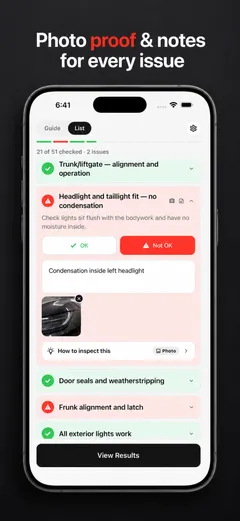
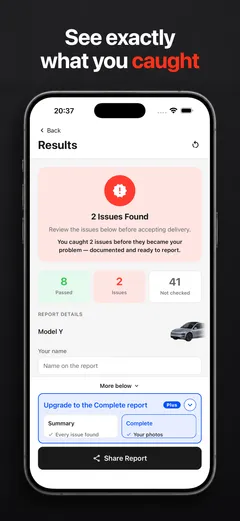
Whatever you find, ask the delivery advisor to record it before you accept the car and sign.
Frequently asked questions
What happens when I arrive at a Tesla delivery center?
Tesla's Taking Delivery page says that at a Tesla location you follow the signs to the check-in area, sign any available agreements, complete final payment and accept delivery in the Tesla app, then unlock and access the car with the app.
What documents do I need to bring?
Tesla says documents required at your delivery appointment may include final payment, your driver's license, auto insurance and trade-in ownership documents. Credit cards are not accepted for final payment, and requirements vary by location and purchase method.
Do I do the paperwork in person?
Tesla says that before your appointment you must submit your insurance details, final payment and necessary documents in the Tesla app. At check-in you sign any available agreements, complete final payment and accept delivery in the app.
Can I look the car over before I accept delivery?
Tesla's steps do not mention a walk-around, so nothing stops you from asking for one. Accepting delivery in the Tesla app is the step to treat as the point of no return, so look first and ask the advisor to record anything you find before you tap accept.
Can I change my appointment?
Yes, in the Tesla app, in your pre-delivery tasks under the Scheduling tab. Tesla says deliveries scheduled within the next 48 hours are not eligible to be rescheduled in the app.
Where do I learn how the car works?
Tesla's Delivery Day page recommends reviewing Meet Your Tesla, Full Self-Driving and Software Updates before delivery, and says you can tap Service on the touchscreen after delivery to open the digital Owner's Manual.