What comes with a new Tesla at delivery, and what do you have to buy yourself?
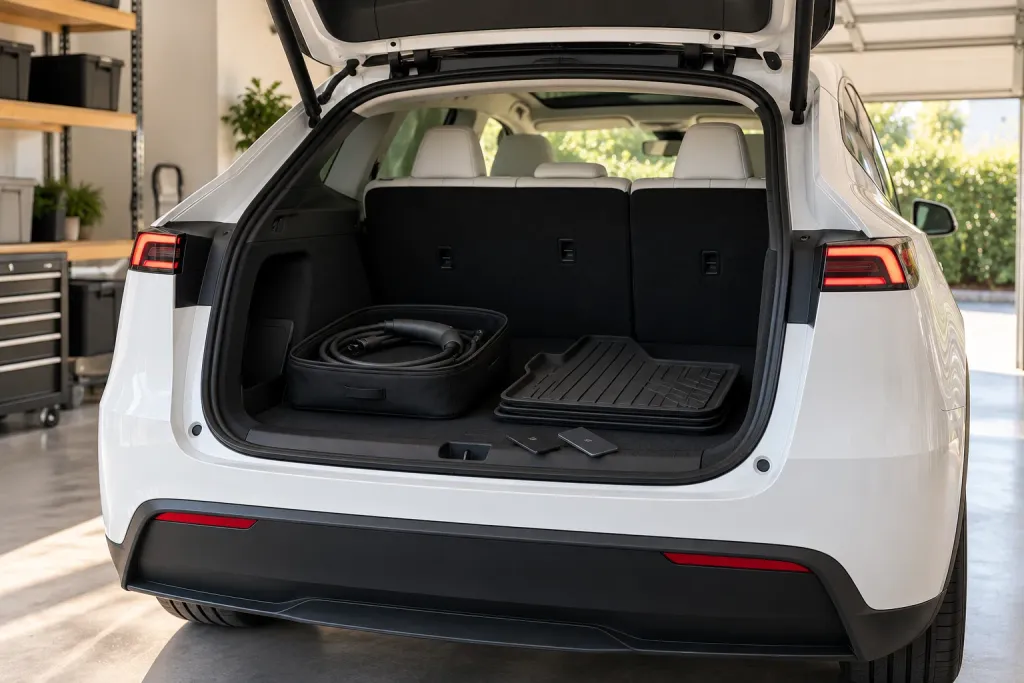
Tesla's pages are specific about a few things: a key fob is an accessory sold separately, charging equipment does not come standard with every Tesla, and a tire repair kit is bought from the Tesla Shop. For anything else you expected, such as key cards, mats or cables, your order page is the list that counts. Compare it with the car before you sign.
Who this guide is for
This guide covers the United States and uses Tesla’s own Model Y Owner’s Manual and support pages. Other models, years and countries can differ, so treat what follows as a way to ask better questions, not as a promise about your car. When Tesla’s pages say nothing about an item, we say that instead of guessing.
What Tesla’s pages say comes with the car
Tesla’s pages are clear on a few items:
- Keys. The Model Y Owner’s Manual lists the key types the car supports: a phone key, key cards and a key fob if equipped. We cannot tell you how many cards you will be handed, because the manual page we read does not say. Count them against your order and ask at delivery.
- Key fob. The manual describes the key fob as “if equipped” and as an accessory sold separately. If you ordered one, make sure it is in the car. If you did not, you are not missing anything.
- Charging equipment. Tesla’s Delivery Day page says: “Charging equipment does not come standard with every Tesla vehicle.” What you receive depends on your order.
- Adapters for public charging. The manual says “the most commonly used adapter(s) for each market region are provided,” and adds that an adapter is required at third-party stations with a CCS connector.
What is sold separately
Two things Tesla’s pages say you buy on your own:
- The key fob accessory. See above.
- The temporary tire repair kit. The manual page says you can purchase it in the Tesla Shop. It does not say whether one is already in your car, so check your order and ask.
For anything else, including floor mats and other accessories, the pages we read do not list what comes with the car. We do not know, so do not rely on a forum thread or on us: your order page is the list.
Accessories: what Tesla says to watch for
Tesla’s manual advises using only genuine Tesla parts and accessories, bought from Tesla and professionally installed. It also warns that some accessories may not be available in every market, and that adding accessories “may impact expected range, vehicle dimensions, etc.” If you add something yourself, read that page first.
How to read your own order
Tesla’s pages describe the car in general, and your order is the one that describes your car. A way to use it, which is our suggestion and not Tesla’s:
- Open the order summary in the Tesla app and save a copy of it, so you have it at the appointment even without signal.
- Underline every line that is a physical thing: wheels, keys, charging equipment, accessories, a trade-in credit that refers to your old car.
- Next to each one, write what you expect to see. “The key cards listed on my order” and “the Mobile Connector, if it is on my order” are checks. “Everything” is not.
- If a line is unclear, ask your Tesla Advisor before the day, not at the center. A written answer is better than a remembered one.
Where to find the manual afterwards
Tesla’s Delivery Day page says that after delivery you can tap “Service” on the touchscreen to open your digital Owner’s Manual. It is the same manual we quote here, but for your car, and it is worth reading the Keys and Charging pages once while you still remember what you were handed.
What to bring to the appointment
Documents are on Tesla’s Delivery Day page. It says the ones required at the appointment may include:
- final payment (requirements vary by location and purchase method, and credit cards are not accepted for final payment)
- your driver’s license
- your auto insurance
- trade-in ownership documents, if you are trading in
Tesla also says that before the appointment you must submit your insurance details, final payment and necessary documents in the Tesla app, and sign any required agreements if you are financing or leasing with Tesla.
A short list to check on the day
Our suggestion, not Tesla’s list. Put your order next to the car and check:
- The key cards you were told to expect are there, and your phone key works.
- Any key fob you ordered is there.
- The charging equipment your order lists is there, and nothing more is assumed.
- Any accessory you ordered is installed or handed to you.
- Anything you expected and cannot see is noted before you sign.
Where it goes wrong: the day itself
Knowing the list is the easy part. At the center you are looking at a car you have waited for, there is a person next to you, and time feels short. That is when a missing key card or an accessory that never arrived goes unnoticed, and you find out later.
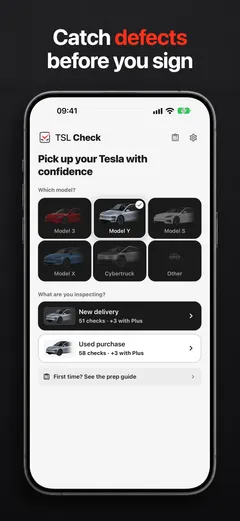
TSL Check is the iPhone app we make for that moment. Its delivery checklist takes you around the car area by area, with the severity of each item and a photo and a note on whatever you flag (how it works). If you want to think about charging before the day, charging a Tesla from a normal outlet shows what Tesla says about it, and if your date keeps moving, see why the delivery date changes.
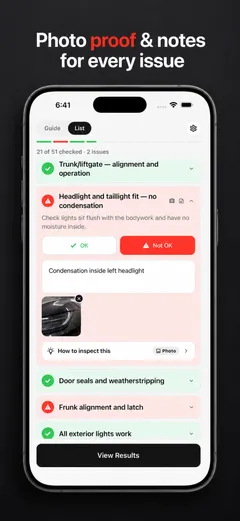
If something from your order is missing, ask the delivery advisor to record it before you sign. What you can do next depends on your contract and local consumer law, so read your order paperwork beforehand.
Frequently asked questions
What keys come with a new Model Y?
Tesla's Model Y Owner's Manual lists the types of key the car supports: a phone key, a key card and a key fob if equipped. It does not tell us how many cards you receive, so check your order and ask at delivery.
Does a Tesla come with a key fob?
Tesla's manual describes the key fob as an accessory sold separately, and says the fob is "if equipped". If you ordered one, check that it is in the car.
Does a new Tesla come with a charging cable?
Tesla's Delivery Day page says charging equipment does not come standard with every Tesla. Check what your order lists, and see our guide on charging from a normal outlet if you are deciding what you need.
Does the car come with a tire repair kit?
Tesla's manual page on the temporary tire repair kit says you can purchase it in the Tesla Shop. It does not say whether one is in your car, so check your order and ask at delivery.
What documents do I need at delivery?
Tesla says documents required at your delivery appointment may include final payment, your driver's license, auto insurance and trade-in ownership documents, and that credit cards are not accepted for final payment. Requirements vary by location and purchase method.
Can I use any accessory I like?
Tesla recommends genuine parts and accessories. Its manual says damage caused by installing non-approved ones is not covered by the warranty.
Sources
- Tesla Model Y Owner's Manual: Keys (North America), consulted Oct 19, 2026 (opens in a new tab)
- Tesla Model Y Owner's Manual: Charging Instructions (opens in a new tab)
- Tesla Model Y Owner's Manual: Temporary Tire Repair Kit (opens in a new tab)
- Tesla Model Y Owner's Manual: Parts and Accessories (opens in a new tab)
- Tesla Support: Delivery Day (opens in a new tab)