My new Tesla loses battery overnight. What should I check?
Tesla's manual lists what uses energy while the car is parked and not plugged in: climate use or preconditioning, Summon, the infotainment system, Sentry Mode and requests from the Tesla or third-party apps. It also says Sentry Mode and Cabin Overheat Protection can impact range. Check those first, and keep the car plugged in when you can.
What this page covers
You park your new Tesla with a certain charge and find less the next morning, and you wonder if something is wrong. This page is for the United States and uses Tesla’s Model Y Owner’s Manual page “Getting Maximum Range”. We could not find a Tesla page that gives a normal overnight loss, so we will not give one either.
What Tesla lists as drains while parked
For a car that is parked and not plugged in, Tesla’s manual lists these as factors affecting energy use:
- preconditioning the cabin or using the climate controls
- Summon
- the vehicle infotainment and climate controls system
- Sentry Mode
- Tesla or third-party mobile app requests
It also says that features such as Sentry Mode and Cabin Overheat Protection can impact range, and that you should disable features when they are not needed.
That list is a good first check, because most of it is a setting you can look at.
A first check, in order
Our suggestion, using Tesla’s list:
- Sentry Mode. Is it on while parked? If you do not need it where you park, switching it off removes one item from Tesla’s list.
- Cabin Overheat Protection. Is it on? Tesla names it next to Sentry Mode.
- Climate and preconditioning. Did you or a schedule start the climate? Tesla says preconditioning and climate use draw energy while parked.
- Apps. Does the Tesla app, or any third-party app you use, keep asking the car for data? Tesla lists app requests as a factor.
- Plugged in. If you can plug the car in, Tesla says that is the way to prevent excess consumption while it is idle.
Look at the numbers
The Energy app shows your real-time and projected energy usage, and you can view data since the car was last charged. Open it and look at what it shows instead of guessing. We cannot interpret your numbers for you, but they are what you would show someone at Tesla.
Write down, for one night: the charge level when you parked, the charge level when you came back, and which of the settings above were on. That is more useful than “it loses a lot”.
If you are still unsure
If the loss seems large after you have checked the settings, that is a question for Tesla Service, with your numbers in hand. Tesla’s manual says the car will inform you in the unlikely event a hardware issue is causing excessive battery or range degradation, but that sentence is about range over time, not a night’s drain. We do not want to claim it covers your case. If you just bought the car used, what to check in the first week with a used Tesla puts this in a routine.
Why the first nights are confusing
A new car comes with many settings, and you do not yet know which ones are on. Sentry Mode, a schedule from another app or a climate request can each be doing something you never asked for, and you only notice the result.
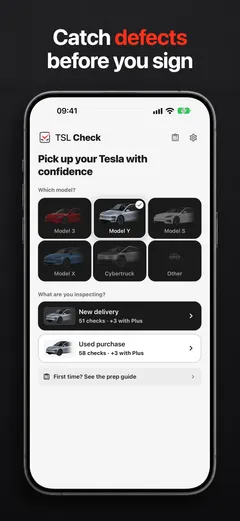
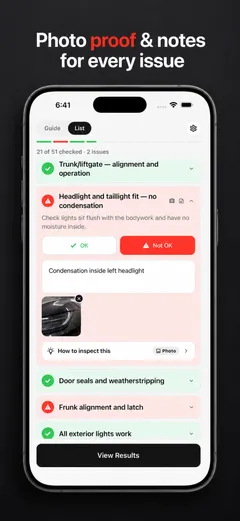
TSL Check is the iPhone app we make for the day you take the car. Its delivery checklist takes you around the car area by area, with a photo and a note on whatever you find (how it works). It is a calm way to go through the car and its settings once, early, so the first night is less of a mystery.
If you are also wondering about the range figure itself, see my new Tesla shows less range than advertised, and for the list of what Tesla says comes with the car, what comes with a new Tesla.
If something seems wrong with the car itself, ask Tesla Service and keep your notes, and read your order paperwork for what you can do next.
Frequently asked questions
What uses battery when my Tesla is parked?
Tesla's manual lists, for a car parked and not plugged in: preconditioning the cabin or using climate controls, Summon, the vehicle infotainment and climate controls system, Sentry Mode, and Tesla or third-party mobile app requests.
Do Sentry Mode and Cabin Overheat Protection affect range?
Yes. Tesla's manual says features such as Sentry Mode and Cabin Overheat Protection can impact range, and to disable features when they are not needed.
How can I limit energy use while the car sits?
Tesla's manual says to keep the vehicle plugged in when it is not in use, to prevent an excessive amount of energy consumption while the vehicle is idle.
How much loss overnight is normal?
The Tesla pages we read do not give a figure, so we cannot tell you what is normal. Note the charge level when you park and when you return, and the settings that were on.
How can I see where the energy went?
Tesla's manual says the Energy app shows real-time and projected usage, and that you can view data since the vehicle was last charged.