My Tesla discount or incentive disappeared after the VIN. What can I do?
Start with the documents. The order agreement you accepted and the terms of the offer decide what you were promised. The IRS says the federal new clean vehicle credit is not available for vehicles acquired after Sept. 30, 2025. Compare your final order with the first one and ask Tesla in writing what changed.
What this page covers
You got a VIN, and the price or an incentive on your order is no longer what you saw. This page is for the United States. We cannot tell you why it changed or whether you are owed anything, because that depends on your contract and the terms of the offer. What we can do is show you where to look and what one official source says about the federal credit.
The federal credit
The IRS page on credits for new clean vehicles says: “The New Clean Vehicle Credit is not available for vehicles acquired after Sept. 30, 2025.” It adds that if a vehicle is placed in service after that date, you must have acquired it on or before Sept. 30, 2025 to be eligible, and that you can show acquisition by entering into a binding written contract and making a payment on or before that date. It also says a vehicle is placed in service when you take possession of it.
If your order or your expectations relied on that credit, read that page and compare it with your own dates: when you signed, when you paid and when you will take the car. A tax adviser can tell you how it applies to you. We cannot.
What decides the rest
For anything that is not the federal credit, the documents decide: the order agreement you accepted, the terms of any offer or referral, and what the Tesla app shows for your order. For how the usual types of Tesla promotion work, and what to ask before you rely on one, see how Tesla promotions work.
Our suggestion for the next hour:
- Open your order in the Tesla app and save screenshots of the price, the discount line and the date.
- Find the first version of your order, if you have an email, a PDF or a screenshot, and compare it line by line with the current one.
- Write down what changed and when you noticed it.
- Read the terms of the offer or program that gave you the discount, in particular any condition about timing, delivery date or VIN.
Ask in writing
Ask your Tesla Advisor what changed and why, and ask for the answer in writing. Tesla’s support page also says Tesla Assist in the Tesla app offers personalized support for your vehicle and energy products, and that you can sign in and use a web form to ask about a variety of topics. Quote your order number, the line that changed and your question: “My order showed X on this date and now shows Y. What changed, and which term of my agreement applies?”
If the answer does not satisfy you, what you can do next depends on your contract and local consumer law. We are not lawyers and this is not legal advice.
State and local incentives
These vary by state, by utility and by program, and some depend on dates or on the vehicle’s price. We do not cover them here. Check the official page of the program, read its eligibility rules, and ask if a change of delivery date matters.
What the app does and does not do
TSL Check is the iPhone app we make for the day you take the car. It does not touch prices, contracts or incentives. What it does is the other half of the paperwork: its delivery checklist takes you around the car area by area, with a photo and a note on whatever you find (how it works). Keep it separate from this question, and decide the price first.
If you are still waiting for your appointment, see I just got my VIN: what happens next for what Tesla says comes next.
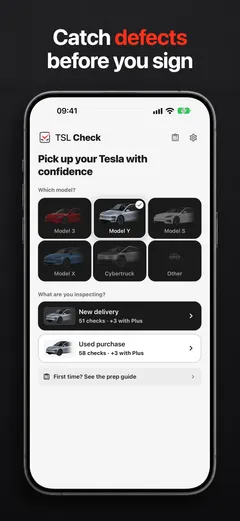
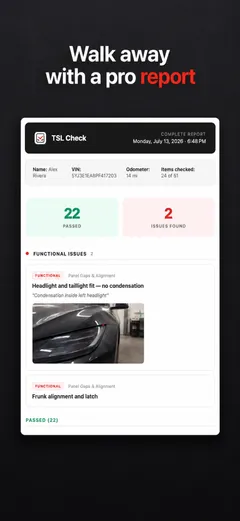
Whatever happens with the price, ask the delivery advisor to record anything wrong with the car before you sign.
Frequently asked questions
Is the federal EV tax credit still available?
The IRS says the New Clean Vehicle Credit is not available for vehicles acquired after Sept. 30, 2025. If a vehicle is placed in service after that date, you must have acquired it on or before Sept. 30, 2025, which you can show by entering into a binding written contract and making a payment on or before that date.
Where do I see what I was promised?
In the order documents you accepted and in the terms of the offer. The Tesla app shows your order and documents, and your Tesla Advisor can tell you what changed. Keep screenshots of the order as it was.
Who do I ask at Tesla?
Your Tesla Advisor first. Tesla's support page also says Tesla Assist in the Tesla app offers personalized support for your vehicle and energy products, and that you can sign in and use a web form to ask about a variety of topics.
Does the IRS credit depend on when I take delivery?
According to the IRS page, the vehicle must be placed in service, which it describes as taking possession of the vehicle, to claim the credit. It also says the acquisition date, shown by a binding written contract and a payment, is what counts for vehicles placed in service after Sept. 30, 2025.
What about state or local incentives?
They vary by state and by program, and we do not cover them. Check the official page of the program, read its eligibility rules and ask whether your change of date or price affects it.